SPECIFICATIONS
Brand Name: NoEnName_Null
Interface Type: USB
Double-sided Printing: No
Type: Thermal Printer
Paper Feed Mode: Auto
Print Speed: 30ppm
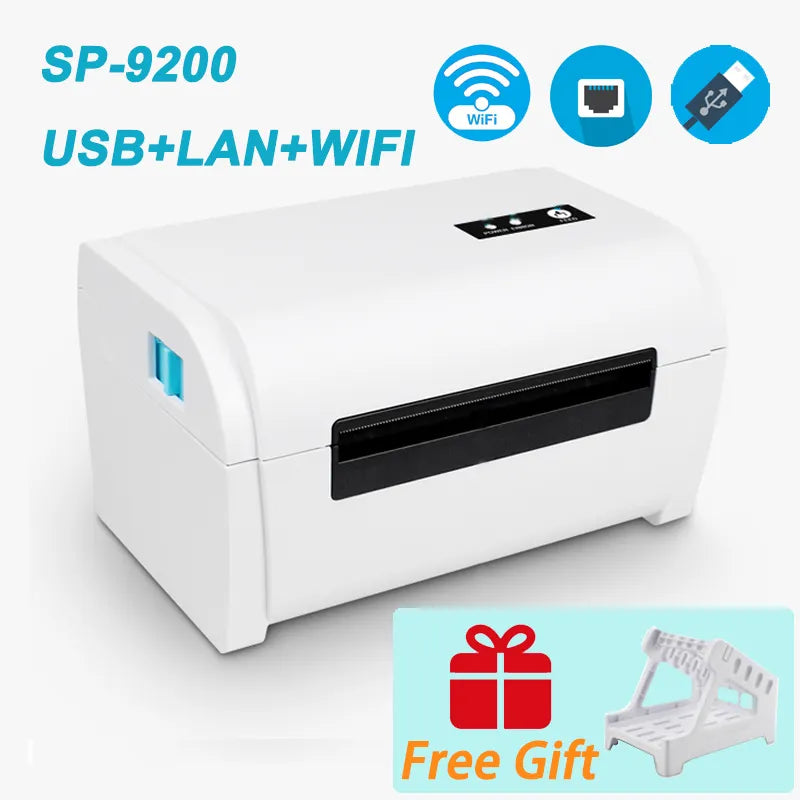
Supports Network Printing: Wired/Wireless
Max Paper Size: A8
Max. Resolution: 203dpi
Consumable Type: Thermal Paper
The printer use 110mm thermal label paper, and adopt to easy paper loading. So the paper is very convenient install. And also support printing of various paper specifications.
1, No paper warehouse design, no ribbon.
2, External bracket paper holder , for printing two different types of labels.
3, Dual-wall frame, robust and sturdy structure.
4, TPH special designed overcoat, endure large printing volume.
5, CPCL and TSPL programming language.
Thermal Barcode Label printer
Product Name: label printer
Printing mode: direct thermal printing
Printing speed: 160mm / S (Max.)
Resolution: 203 DPI
Print command: tspl command / (optional ESC / POS command)
Types of thermal paper: continuous paper, gap paper, folded paper, label paper
Effective printing width: 100 mm
Label paper width: 40-110 mm
Printing paper thickness: 0.06-0.30 mm
Power supply: DC 24V / 2.5A
How to install printer driver?
1. Insert power cable into thermal printer.
2. Connect the printer with windows PC via USB cable.
3. Place thermal paper into printer.
4. Install printer driver by following the User Manual along with package.
5.Contact us if you need help.
Please pay attention to the following tips.
1.Please refuse to sign for damaged packages and contact logistics to solve the problem.
2.If there is any problem with the product, don't leave any negative feedback before you contact us. Good reviews are very important to us and we will do our best to solve your problem.
3.If satisfied with our products ,kindly leavea 5-star rating and share with your friends.
4.Please be aware of your local tax policy, we are not responsible for any duties or import duties.
ONE MORE THINK
If you want to know more about this model ,include price and detail ,
Please kindly contact us!