








DUBAI LOOKA
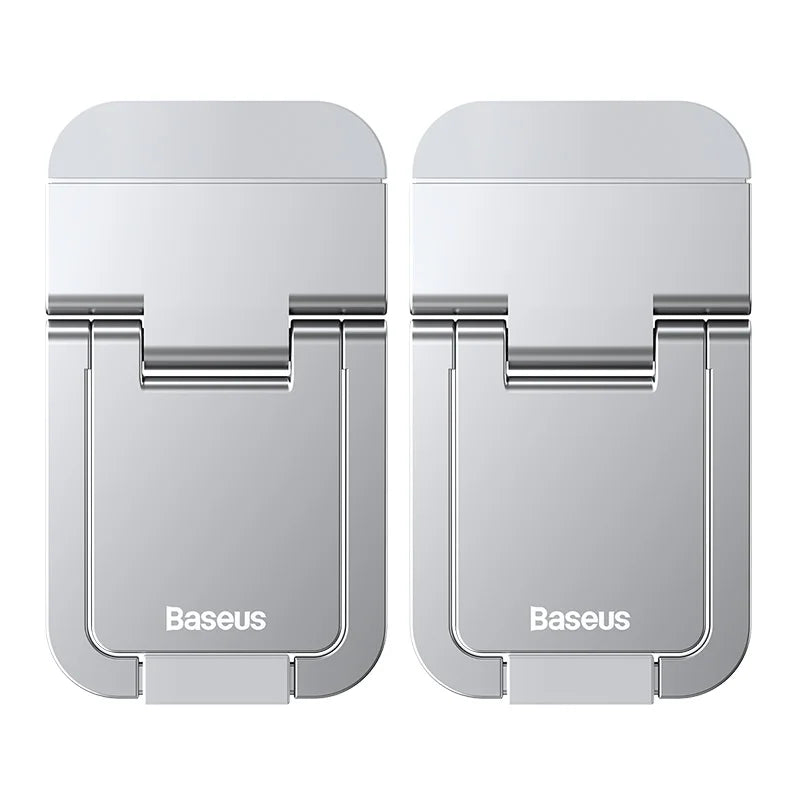
baseus-laptop-stand-for-desk-computer-2pcs-portable-aluminum-notebook-holder-laptop-stands-for-macbook-pro-ipad-10-18-inch-stand
baseus-laptop-stand-for-desk-computer-2pcs-portable-aluminum-notebook-holder-laptop-stands-for-macbook-pro-ipad-10-18-inch-stand
In stock
Couldn't load pickup availability
-
Delivered in 2–4 weeks Shipped from our overseas partners straight to your door. We email you the moment it leaves the warehouse.
-
Free delivery across the UAE The price you see is the price you pay — no delivery charge at checkout. Read our returns policy.
-
Licensed Dubai business DULOOKA ONLINE SELLER, licensed by Dubai Economy & Tourism. Secure checkout.
Description
Description
SPECIFICATIONS
Brand Name: BASEUS
Material: Aluminum Alloy
Application: Laptop
Material: Zinc alloy
Color: Grey/Silver
Suitable for: 13-inch and above laptops
Size: 58mm*30mm*5.5mm
Weight: 30g
Laptop Stand: For Desk Computer
2pcs Portable: For Notebook Holder
Laptop Stand: For Laptop Stands
10-18 inch: For Macbook Pro Air
Slim and Foldable for Your Convenient Life
Features
1. Good for heat dissipation
2. Height adjustable
3. Mini and compact
4. Sturdy triangular Bracing
5. Non-marking nano adhesive
5mm Ultra Thin
Compact and space-saving design , fold to store
Height Adjustable
Adjust the height to your perfect viewing angle
Walk with your notebook
12° Perfect Angle
The most comfortable and ergonomicviewing angle for laptops
10kg Load-bearing
Trianqular support , stable withoutcollapsing , typing without wobbling
Excellent for Heat Dissipation
Improve the air circulation underneath the laptop, great for heat dissipation
Wide Compatibility with Various Laptops
Suitable for a variety of sizeswidth can be adjusted
1.High hard-ness Zinc Alloy
2.Non-slip Silicone Pads
3.Removable Nano Adhesive
Quick and Easy Installation
1.Tear off the release lineron the adhesive
2.Stick the kickstandsto your laptop
3.And finish theinstallation
*Note : For a sturdier and more stable support . recommendto stick the kickstands to the hinge side of yourlaptop , and make sure the balance is even
Share